> ## Documentation Index
> Fetch the complete documentation index at: https://opentouter.ai/docs/llms.txt
> Use this file to discover all available pages before exploring further.
# Langfuse
> Send traces to Langfuse
[Langfuse](https://langfuse.com) is an open-source LLM engineering platform for tracing, evaluating, and debugging LLM applications.
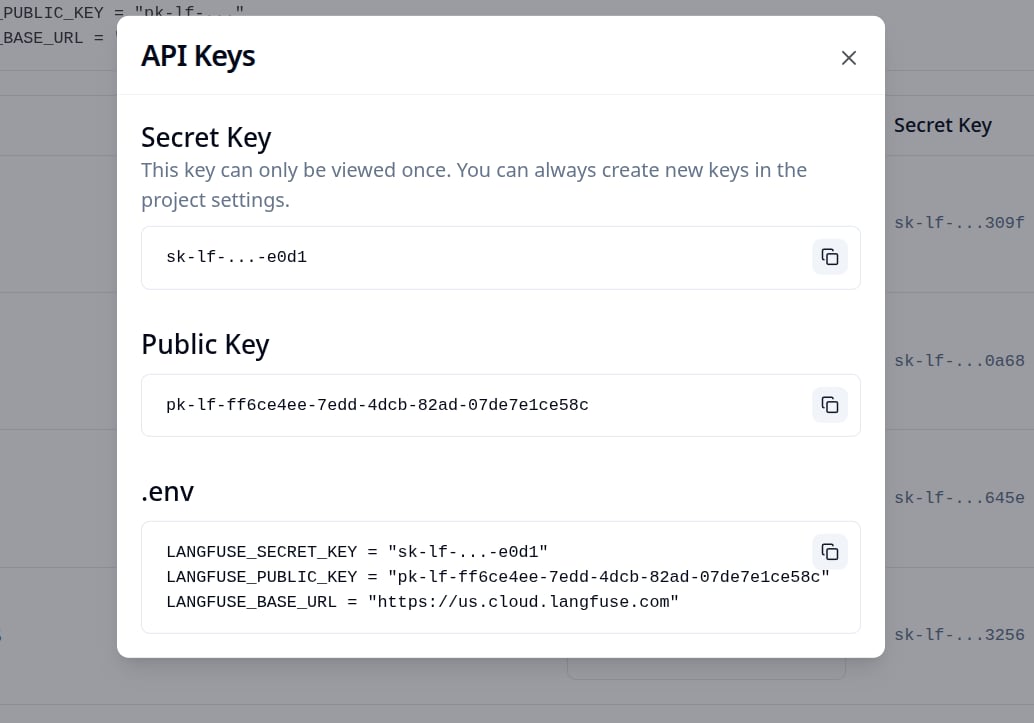
## Step 1: Create a Langfuse API key
In Langfuse, go to your project's **Settings > API Keys** and create a new key pair. Copy both the Secret Key and Public Key.
 ## Step 2: Enable Broadcast in OpenRouter
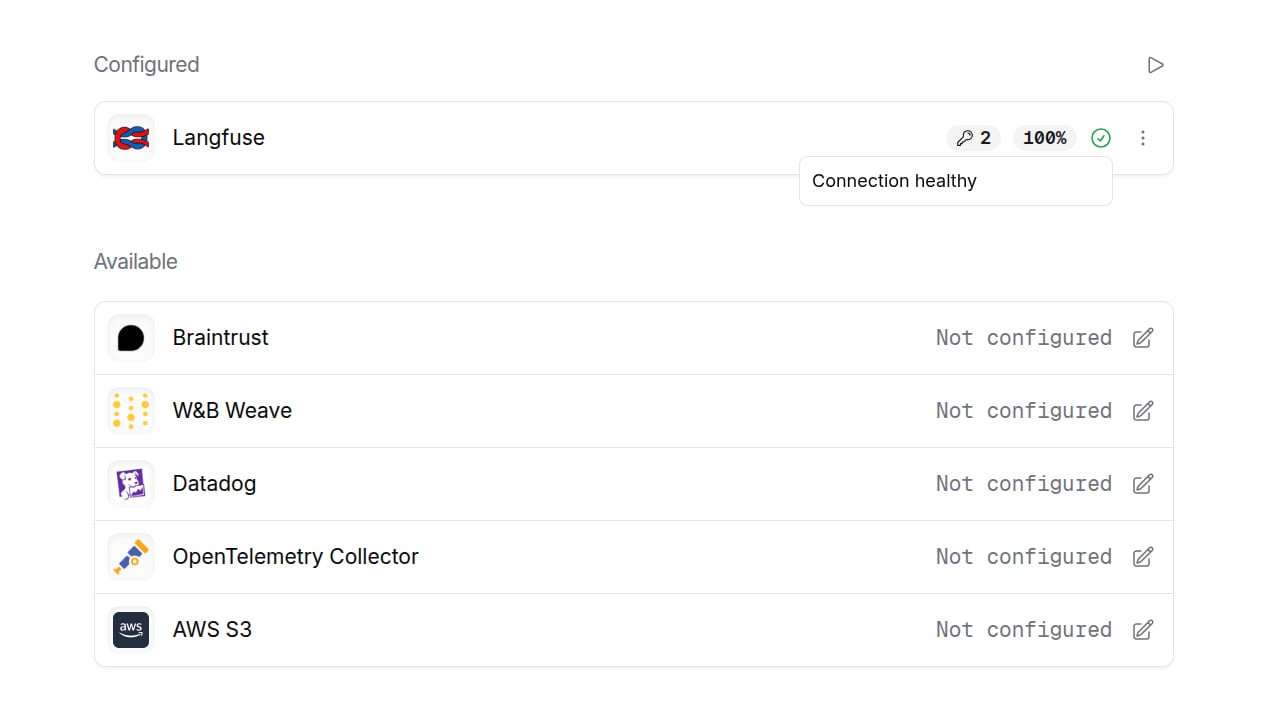
Go to [Settings > Observability](https://openrouter.ai/settings/observability) and toggle **Enable Broadcast**.
## Step 2: Enable Broadcast in OpenRouter
Go to [Settings > Observability](https://openrouter.ai/settings/observability) and toggle **Enable Broadcast**.
 ## Step 3: Configure Langfuse
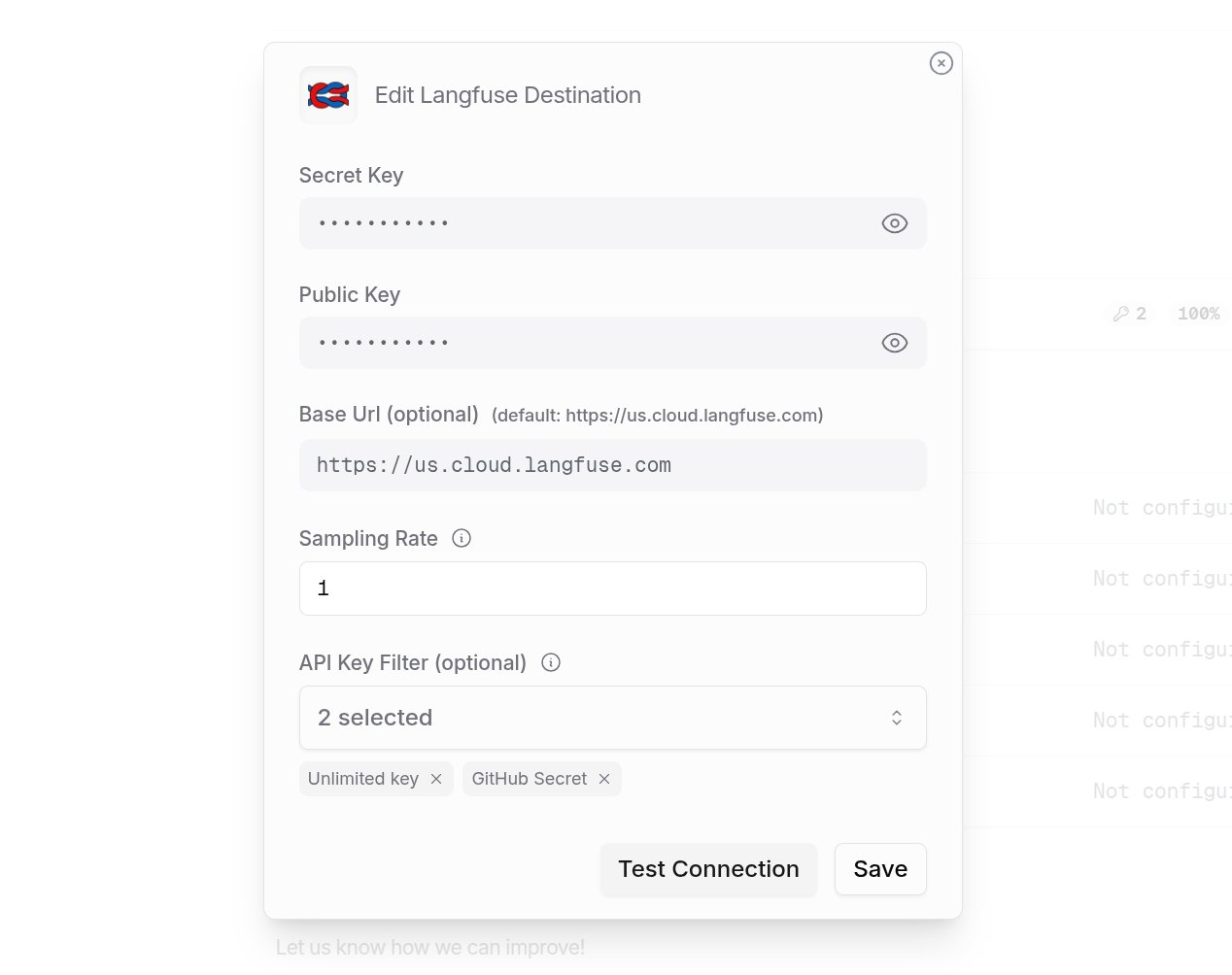
Click the edit icon next to **Langfuse** and enter:
* **Secret Key**: Your Langfuse Secret Key
* **Public Key**: Your Langfuse Public Key
* **Base URL** (optional): Default is `https://us.cloud.langfuse.com`. Change for other regions or self-hosted instances
## Step 3: Configure Langfuse
Click the edit icon next to **Langfuse** and enter:
* **Secret Key**: Your Langfuse Secret Key
* **Public Key**: Your Langfuse Public Key
* **Base URL** (optional): Default is `https://us.cloud.langfuse.com`. Change for other regions or self-hosted instances
 ## Step 4: Test and save
Click **Test Connection** to verify the setup. The configuration only saves if the test passes.
## Step 4: Test and save
Click **Test Connection** to verify the setup. The configuration only saves if the test passes.
 ## Step 5: Send a test trace
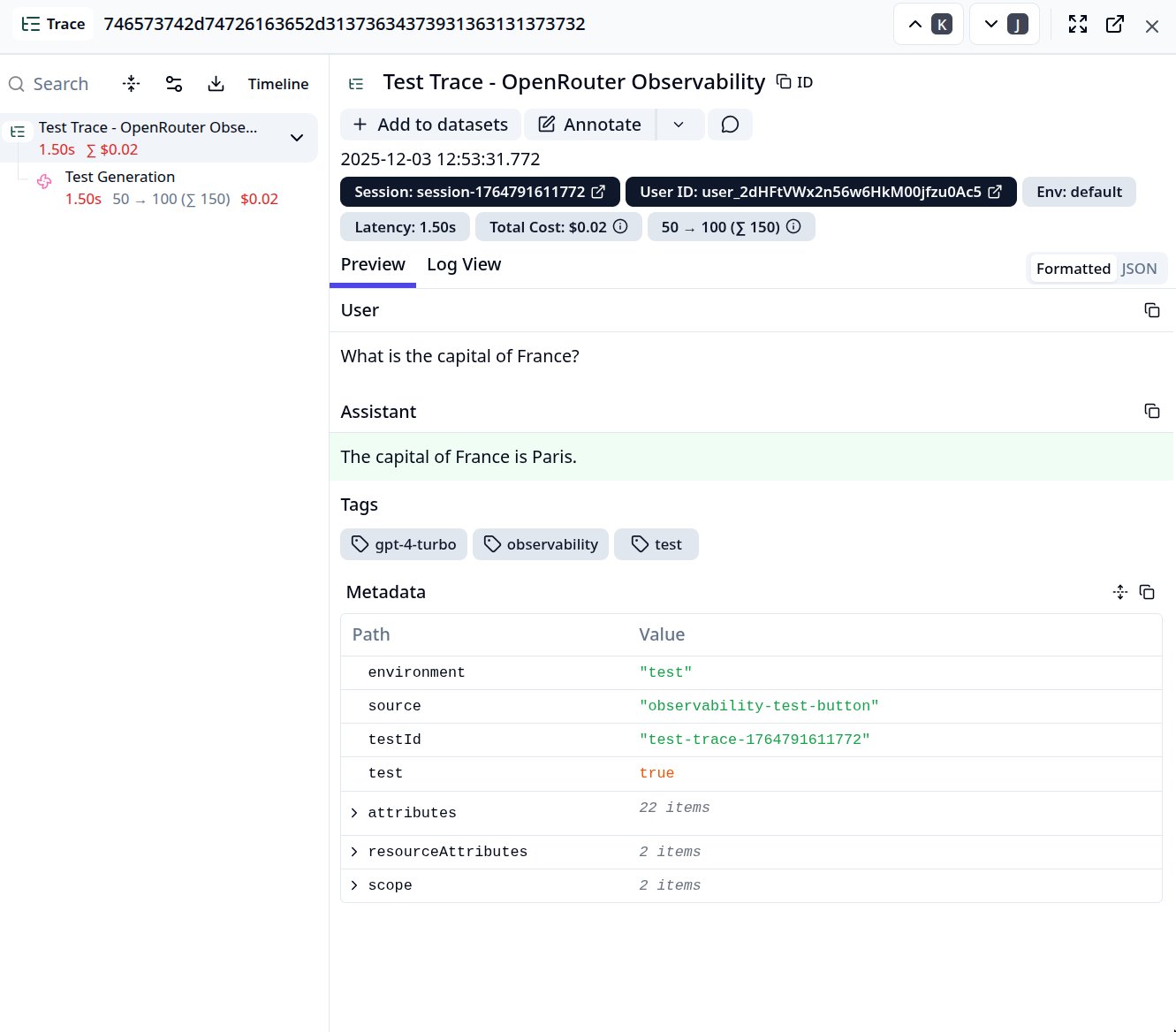
Make an API request through OpenRouter and view the trace in Langfuse.
## Step 5: Send a test trace
Make an API request through OpenRouter and view the trace in Langfuse.
 ## Custom Metadata
Langfuse supports rich trace hierarchies and metadata. Use the `trace` field to customize how your traces appear in Langfuse.
### Supported Metadata Keys
| Key | Langfuse Mapping | Description |
| ----------------- | --------------------- | --------------------------------------------------------------------------------------------------------------------------------------------------------------------------------- |
| `trace_id` | Trace ID | Group multiple requests into a single trace |
| `trace_name` | Trace Name | Custom name displayed in the Langfuse trace list |
| `span_name` | Span Name | Name for intermediate spans in the hierarchy |
| `generation_name` | Generation Name | Name for the LLM generation observation |
| `parent_span_id` | Parent Observation ID | Link to an existing span in your trace hierarchy |
| `environment` | Environment | Populates the first-class `Environment` field used by the Langfuse project filter (e.g. `production`, `staging`). Emitted as both a resource attribute and observation attribute. |
| `release` | Release | Application release/version associated with the trace. Emitted as both a resource attribute and observation attribute. |
### Example
```json lines theme={null}
{
"model": "openai/gpt-4o",
"messages": [{ "role": "user", "content": "Summarize this document..." }],
"user": "user_12345",
"session_id": "session_abc",
"trace": {
"trace_id": "workflow_12345",
"trace_name": "Document Processing Pipeline",
"span_name": "Summarization Step",
"generation_name": "Generate Summary",
"environment": "production",
"release": "2.1.0",
"pipeline_version": "2.1.0"
}
}
```
This creates a hierarchical trace structure in Langfuse:
```lines theme={null}
Document Processing Pipeline (trace)
└── Summarization Step (span)
└── Generate Summary (generation)
```
### Additional Context
* The `user` field maps to Langfuse's User ID for user-level analytics
* The `session_id` field maps to Langfuse's Session ID for grouping conversations
* Any additional keys in `trace` are passed as trace metadata and can be used for filtering and analysis in Langfuse
## Privacy Mode
When [Privacy Mode](/guides/features/broadcast#privacy-mode) is enabled for this destination, prompt and completion content is excluded from traces. All other trace data — token usage, costs, timing, model information, and custom metadata — is still sent normally. See [Privacy Mode](/guides/features/broadcast#privacy-mode) for details.
## Custom Metadata
Langfuse supports rich trace hierarchies and metadata. Use the `trace` field to customize how your traces appear in Langfuse.
### Supported Metadata Keys
| Key | Langfuse Mapping | Description |
| ----------------- | --------------------- | --------------------------------------------------------------------------------------------------------------------------------------------------------------------------------- |
| `trace_id` | Trace ID | Group multiple requests into a single trace |
| `trace_name` | Trace Name | Custom name displayed in the Langfuse trace list |
| `span_name` | Span Name | Name for intermediate spans in the hierarchy |
| `generation_name` | Generation Name | Name for the LLM generation observation |
| `parent_span_id` | Parent Observation ID | Link to an existing span in your trace hierarchy |
| `environment` | Environment | Populates the first-class `Environment` field used by the Langfuse project filter (e.g. `production`, `staging`). Emitted as both a resource attribute and observation attribute. |
| `release` | Release | Application release/version associated with the trace. Emitted as both a resource attribute and observation attribute. |
### Example
```json lines theme={null}
{
"model": "openai/gpt-4o",
"messages": [{ "role": "user", "content": "Summarize this document..." }],
"user": "user_12345",
"session_id": "session_abc",
"trace": {
"trace_id": "workflow_12345",
"trace_name": "Document Processing Pipeline",
"span_name": "Summarization Step",
"generation_name": "Generate Summary",
"environment": "production",
"release": "2.1.0",
"pipeline_version": "2.1.0"
}
}
```
This creates a hierarchical trace structure in Langfuse:
```lines theme={null}
Document Processing Pipeline (trace)
└── Summarization Step (span)
└── Generate Summary (generation)
```
### Additional Context
* The `user` field maps to Langfuse's User ID for user-level analytics
* The `session_id` field maps to Langfuse's Session ID for grouping conversations
* Any additional keys in `trace` are passed as trace metadata and can be used for filtering and analysis in Langfuse
## Privacy Mode
When [Privacy Mode](/guides/features/broadcast#privacy-mode) is enabled for this destination, prompt and completion content is excluded from traces. All other trace data — token usage, costs, timing, model information, and custom metadata — is still sent normally. See [Privacy Mode](/guides/features/broadcast#privacy-mode) for details.